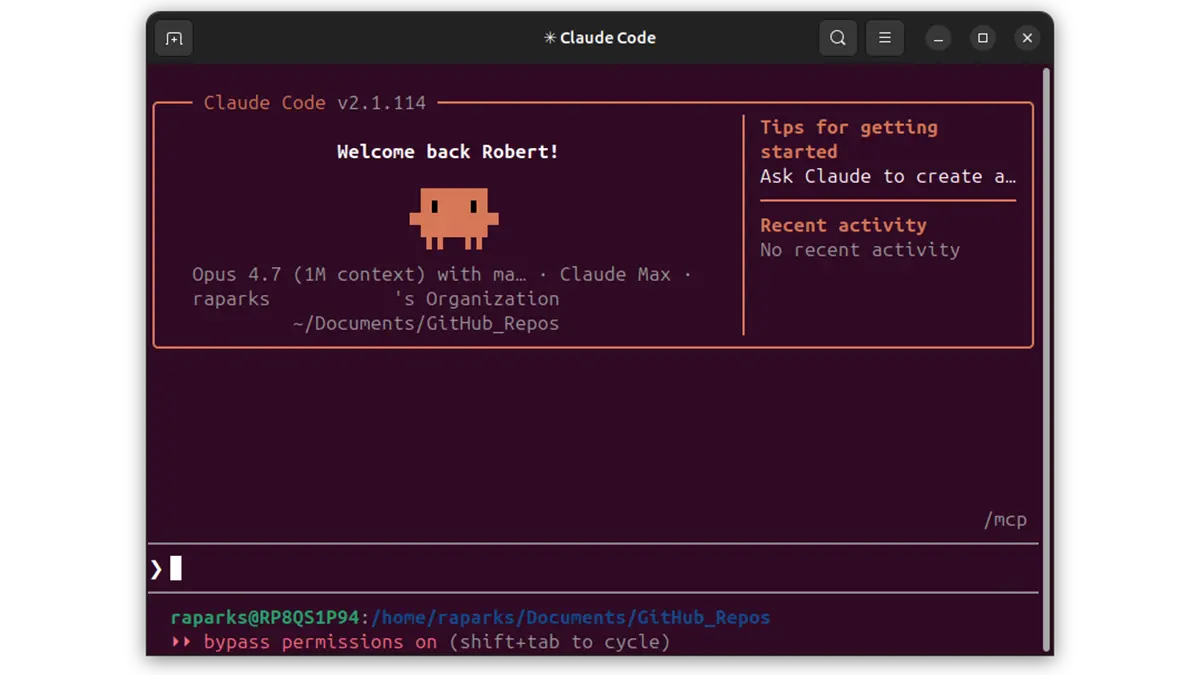
A colleague wrote back to a long briefing I sent him this week. The opening of his reply, paraphrased:
Hi Bob — there’s a lot to unpack here, this is intense. Thank you for the download. I’d like to learn more about how Claude was utilized to generate this.
That’s a fair question, and it deserves a real answer — because “used Claude” means wildly different things to different people. What follows makes no assumptions about my colleague’s knowledge of AI. It’s written for a general audience.
For many people, the reference point for “using an LLM” is still the way we first met one: ChatGPT in a browser in late 2022. A web page. A chat window. Type a question, read an answer. Maybe paste in a document. Impressive, but self-contained — the model can’t touch anything you haven’t pasted into the box.
That is not what I am doing, and it is not what I have been doing for most of the past nine months.
The Terminal, Not the Browser
Since last July, well over 90% of my AI use has been Claude Code running in a terminal on one of my laptops or desktops. The command line is not a stylistic choice. It is what turns “a smart chat partner” into something closer to a capable coworker who can actually reach for tools.
The category has a name — agentic coding tools — though the name undersells it. These tools write code, yes, but they also run commands, touch files, and drive other programs. GitHub Copilot, Cursor, Cline, Gemini CLI, and Codex CLI are all in this neighborhood. Claude Code is the one I live in.
What that actually means, in practice:
- It reads any file I can read. Word documents, Excel spreadsheets, PDFs, Outlook
.msgemail messages, config files, log files — whatever I have access to on my machine or mounted to it. It picks the right tool for each file type without me having to orchestrate it. - It runs any program I can run.
git, PowerShell, Python, Bash,curl,psql, Hugo. The only commands it can’t run on its own are ones that need elevated privileges. Ifsudois involved, I have to type it myself. - It installs software, with permission. If a task needs a tool I don’t already have, Claude asks to install it. In a corporate environment, be very careful with this one — both policy-wise and from a pure common-sense “what did I just let onto this machine” angle.
- It writes new software on the fly. When the fastest way to answer a question is a twenty-line Python script, Claude writes the script, runs it, and tells me what it found.
On top of all that, through an extension called Playwright MCP, Claude can drive a real web browser. Navigate, click, fill forms, take screenshots — anything a human can do in a browser.
A Concrete Example
When I built the briefing my colleague was reacting to, the workflow looked roughly like this:
- I described the situation and the goal to Claude in plain English.
- I pointed it at a few shared-drive directories.
- I told it, explicitly, to skip any filename that even hinted at protected health information. I had already done a manual scan for the same reason — belt and suspenders.
- I let it work.
One moment from that session is worth calling out. Claude ran into a filename that referenced HL7 interface testing and, true to my instructions, stopped and flagged it rather than opening it. I looked at the file manually, confirmed it held only interface definitions and no test or production data, and cleared it for reading. That back-and-forth happened inside the same conversation. Not a separate workflow, not a permission ticket, not a second application. Just a conversation with a tool that knew when to ask.
The final product was a structured markdown briefing — cross-references, a research log, action items. Fifteen minutes of my time. Two or three hours by hand.
The Browser Chatbot Is the Shallow End
If your working mental model of AI is still a web page and a chat window, you are missing most of what has happened in the three years since ChatGPT launched. The browser chatbot was the demo. Agentic tools are what the demo was pointing at.
None of this is cost-free. My Claude Max 20x subscription runs $200 a month, and that is the easy cost to think about. A tool that can read any file I can read can be pointed, by accident or on purpose, at files I did not mean to share. A tool that can run any command I can run can make a mess if the instructions are sloppy. Corporate environments need policies about what lives where and what gets installed on which machines. I would not hand Claude Code to anyone on my team without a conversation about the boundaries first.
But the honest answer to “how was Claude used?” is: there is very little I can do from a computer that Claude cannot do alongside me. In most cases, faster, and with a metaphorical paper trail.
And that is all before we get to the next category up — calling LLMs directly from code, writing applications on top of the Anthropic or OpenAI APIs with caching, tool use, and batching baked in. Different animal. Separate post.
For now, if someone asks you how Claude was used to put something together and your first instinct is to picture a web page with a chat window — it’s time to update the picture.